Understanding TradingView and Its Core Features
In the modern trading landscape, having access to advanced tools and resources can significantly impact trading success. TradingView stands out as a premier platform that integrates various functionalities, allowing traders to analyze, strategize, and execute trades effectively. By combining charts, alerts, and research capabilities in a single workspace, it streamlines the trading process for stocks, forex, cryptocurrencies, and derivatives. This article delves into the core features that make TradingView an indispensable asset for both novice and seasoned traders.
What Is TradingView and How Does It Work?
TradingView is a powerful cloud-based platform that provides real-time market data, advanced charting tools, and a robust social network for traders and investors. It allows users to track market movements across various asset classes, including stocks, forex, commodities, and cryptocurrencies. The platform functions primarily through an online interface, enabling traders to access their accounts from anywhere, whether they're using a desktop, tablet, or mobile device.
The essence of TradingView lies in its ability to bring together various analytical tools into one cohesive experience. Users can create customizable charts, set alerts, backtest strategies, and collaborate with others in the community. By leveraging global market data, TradingView equips its users with the insights needed to make informed decisions and manage risk effectively.
Key Tools for Traders on the TradingView Platform
- Comprehensive Charting Tools: TradingView offers an expansive array of charting options, including multiple time frames, various chart types (like candlestick, line, and bar), and the ability to overlay indicators and technical analysis tools.
- Custom Alerts: Traders can set up customizable alerts based on price movements, technical indicators, or even specific events, reducing the need to monitor the markets constantly.
- Strategy Tester: This feature allows traders to backtest their strategies against historical data to evaluate their effectiveness before executing them in real-time.
- Pine Script: TradingView’s proprietary scripting language empowers users to create custom indicators and strategies, enhancing their trading experience.
- Community Insights: The platform includes a social aspect where traders can share their ideas, analysis, and strategies, fostering a collaborative environment.
Setting Up Your Trading Environment with TradingView
Choosing the Right Layouts and Charts for Your Trading Style
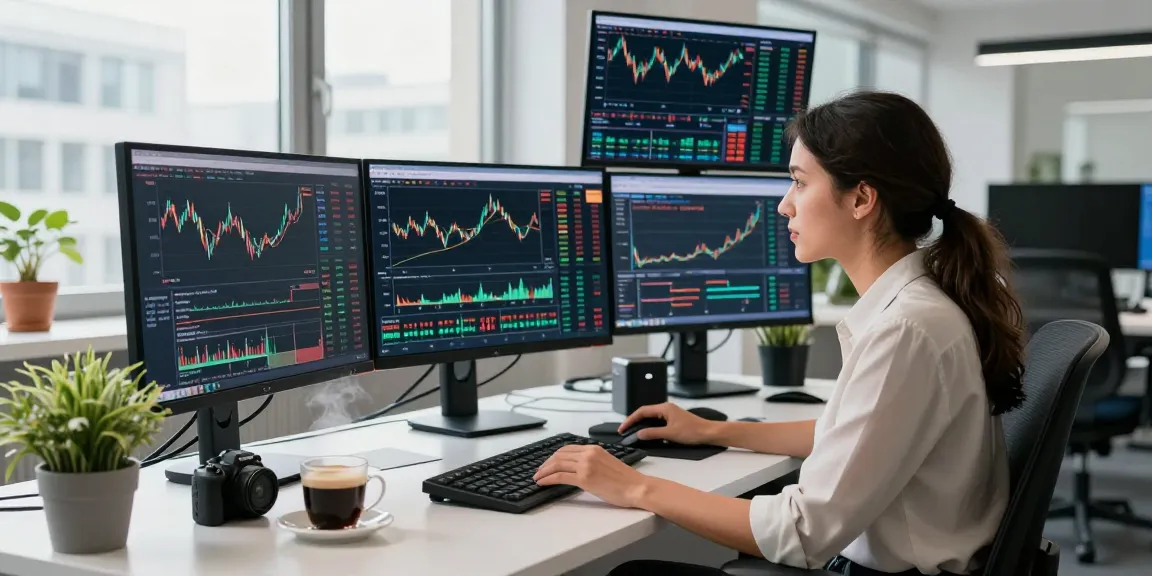
One of the key advantages of TradingView is its customizable workspace. Depending on your trading style—be it day trading, swing trading, or long-term investing—you can set up your layout to suit your preferences. The platform allows users to utilize multiple chart layouts, enabling the simultaneous viewing of different markets or asset classes. This flexibility is crucial for traders who need to monitor various indicators and price movements in real-time.
Customizing Alerts and Notifications for Market Movements
Custom alerts are essential for efficient trading. In TradingView, you can easily set alerts based on specific price thresholds or changes in technical indicators. For example, if a stock reaches a certain price point or a moving average crossover occurs, you can receive notifications via email, SMS, or in-app messages. This feature helps traders stay informed and ready to act without the need to watch the markets continuously.
Utilizing Pine Script for Personalized Indicators
Pine Script is a powerful tool that allows traders to create custom indicators and strategies tailored to their unique trading preferences. By automating certain aspects of their analysis, traders can focus on executing trades rather than getting bogged down in manual calculations. Whether you're interested in developing a simple moving average crossover strategy or a more complex algorithm, Pine Script provides the necessary flexibility to enhance your trading strategy.
Strategies for Effective Market Analysis on TradingView
Technical Analysis: Tools and Techniques to Utilize
Technical analysis is a critical component of trading, and TradingView provides a plethora of tools to support this analysis. Traders can use a variety of indicators, such as moving averages, RSI, MACD, and Bollinger Bands, to inform their trading decisions. By overlaying these indicators on their charts, traders can identify trends, potential reversal points, and market momentum more accurately.
Fundamental Analysis Integration: Enhancing Your Insights
While technical analysis focuses on price movements, integrating fundamental analysis can provide a more holistic view of potential investments. TradingView allows users to access economic calendars, earnings reports, and macroeconomic indicators directly within the platform. This integration helps traders make informed decisions based on both quantitative data and qualitative insights.
Using Community Ideas to Inform Your Trading Decisions
The community feature of TradingView is an invaluable resource. Traders can view ideas, analyses, and strategies shared by others in the community, which can serve as inspiration or confirmation for their own trading decisions. Engaging with the community can help you stay updated on market trends and gain insights from other experienced traders.
Maximizing Performance with TradingView Features
Using the Strategy Tester for Backtesting Your Ideas
The Strategy Tester is one of the most important tools available on TradingView. This feature allows you to simulate trading strategies using historical data to evaluate their potential effectiveness. By tweaking your strategies based on historical performance reviews, you can optimize your approach before risking real capital.
Evaluating Market Data: Understanding Price Movements and Trends
To succeed in trading, it is vital to understand price movements. TradingView provides a broad array of market data, including real-time quotes and historical price charts. By analyzing this data, traders can make better predictions about future price movements and trends.
Adjusting Your Strategy with Real-Time Data Analysis
TradingView's real-time data feeds are instrumental in ensuring that traders can make timely decisions. As market conditions change, being able to quickly adapt your strategy based on real-time information can make all the difference. Utilizing the platform’s tools to interpret and respond to market data can lead to more successful trading outcomes.
The Future of Trading with TradingView: Trends in 2026
Emerging Technologies in Trading Platforms
As we look ahead to 2026, trading platforms are expected to integrate even more innovative technologies. Features like enhanced artificial intelligence for predictive analytics and machine learning algorithms for better trade execution will likely become more prevalent. TradingView is well-positioned to embrace these advancements and continue evolving its platform to meet the needs of modern traders.
The Role of AI in Trading Analysis and Decision Making
The integration of artificial intelligence into trading platforms promises to transform how traders analyze market data and make decisions. AI can assist in pattern recognition, risk assessment, and optimizing trade execution, thereby enhancing overall trading performance. As TradingView continues to incorporate AI capabilities, users can look forward to a more intuitive trading experience.
Future Developments in TradingView's Feature Set
TradingView has consistently introduced new features and updates, and this trend is expected to continue. Developers are likely to focus on improving user interface design, enhancing mobile functionality, and expanding the range of available technical indicators. Staying abreast of these developments will help traders maximize the benefits of TradingView's evolving tools.
Is TradingView Really Free for All Users?
While TradingView offers a robust free tier, premium features are available through paid subscriptions. Users can benefit from upgraded features such as additional chart layouts, more indicators per chart, and advanced market alerts. Understanding the various tiers of service can help traders determine which option is best suited to their needs.
How Can I Optimize My Trading Strategies Using TradingView?
To optimize trading strategies on TradingView, traders should leverage tools like the Strategy Tester, customize alerts, and utilize Pine Script for personalized analysis. Engaging with the community and learning from others can also provide significant insights that enhance one's trading approach.
What Are the Best Practices for Setting Alerts on TradingView?
Best practices for setting alerts on TradingView include defining clear price thresholds based on technical analysis, ensuring alerts are relevant to your trading strategy, and utilizing multiple alert types to capture different market conditions.
What Features Differentiate TradingView from Other Trading Platforms?
TradingView's combination of a powerful charting interface, social trading features, and extensive customization options set it apart from other platforms. Its community-driven insights and diverse asset coverage also enhance its appeal to traders.
How Can TradingView Enhance My Trading Performance?
By providing advanced analytical tools, real-time data, and a collaborative trading environment, TradingView empowers traders to make informed decisions, refine their strategies, and ultimately enhance their trading performance.